
Building Knowledge: Customizing GPT for Unique Use Cases
Originally published on Medium on November 13, 2023.
In this post, I’d like to share my initial experiences in creating my first custom GPT model. As of the time of writing this article, this feature was announced less than a week ago and was enabled for me only three days ago. Some features, such as the Marketplace, are not yet available, and there are occasional issues like error messages not being displayed or the AI model taking a long time to respond. The result of this endeavor is now available here: Learn Mina Blockchain (currently only for OpenAI ChatGPT Plus subscribers). Nonetheless, I am thrilled by the new creative possibilities and want to share my initial impressions here.
Here are the main sections I’ll be covering in this article:
- Working with Mina Blockchain
- User Interface: “Create” and “Configure”
- Knowledge Integration
- Data Format
- Addressing Knowledge Gaps
- Speed Considerations
- Conclusion
Let’s dive into each of these sections to explore my journey with creating a custom GPT model.

Working with Mina Blockchain
Currently, we are actively involved in building the Mina blockchain. The source code is constantly changing, and just two months ago, the name of the main module was altered. Mina relies on Zero-Knowledge Proof technology, which has a steeper learning curve. Additionally, despite OpenAI’s announcement, ChatGPT only has information available up to April 2023, while we are now in November. These seven months represent a significant timeframe in our industry, making this use case an excellent opportunity to explore the new features.
User Interface: “Create” and “Configure”
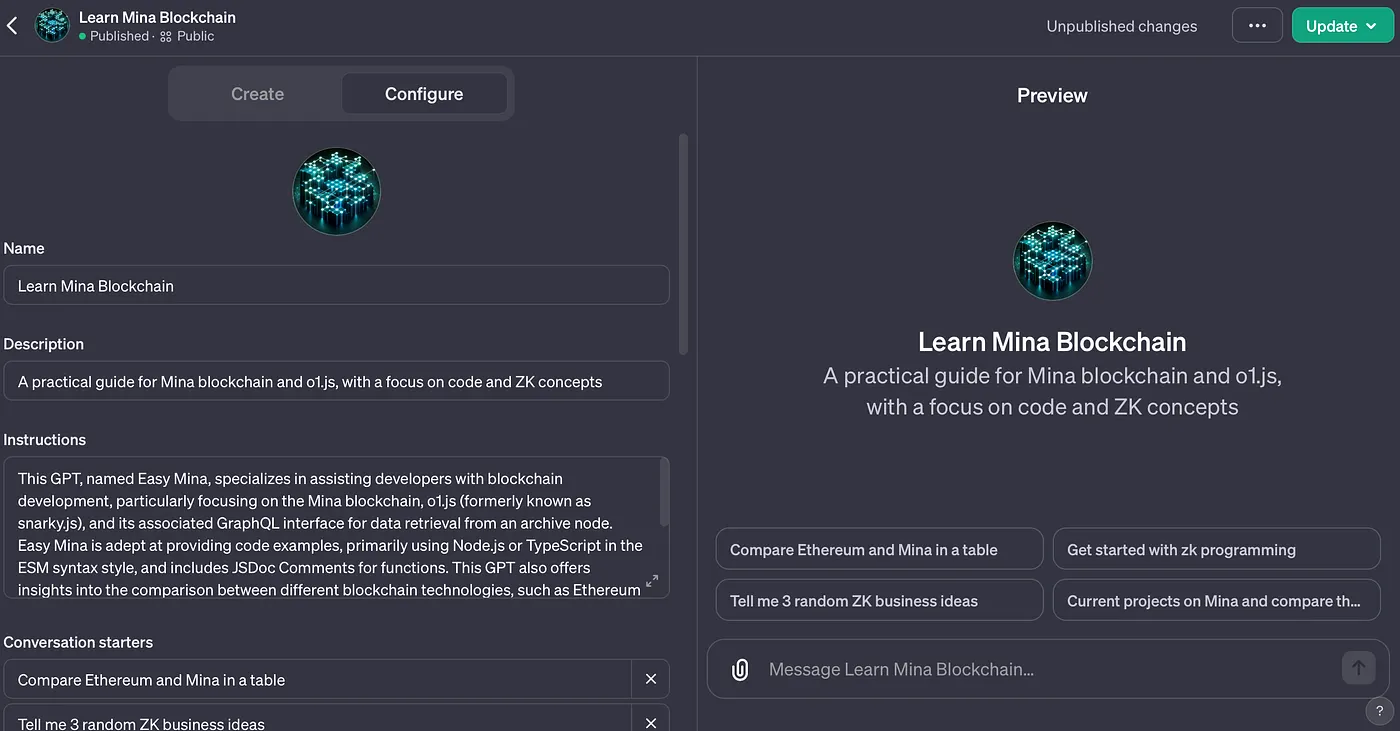
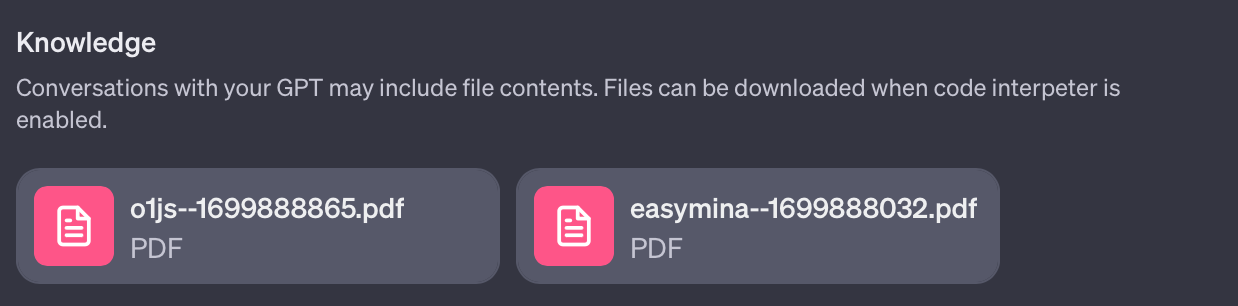
Concerning the user interface, there are two main areas: “Create” and “Configure.” In the “Configure” section, settings can be adjusted manually, while the “Create” section allows instructing the AI through conversation. My suggestion is to start by using the “Create” option to fill in some fields and gradually refine them. However, caution is necessary because the AI may occasionally overwrite content, especially when working on instructions. It’s advisable to keep a backup of your text in a notepad. The key fields for adjusting the AI are “Conversation starters,” which suggest questions to users when they visit the page, and “Knowledge,” where the actual information is stored. I recommend starting with “Knowledge” and then transitioning to adding questions based on the text to determine what additional information is needed.
Knowledge Integration
Knowledge is the core of the system, and there are two ways to add information: uploading documents or using actions that communicate through an internal API (web browsing must be enabled). Currently, I am working on a server, but that topic is beyond the scope of this discussion, so I will focus on documents here. In my case, I decided to condense various code repositories and websites into documents, all of which are licensed for this purpose. Then, I created a program:
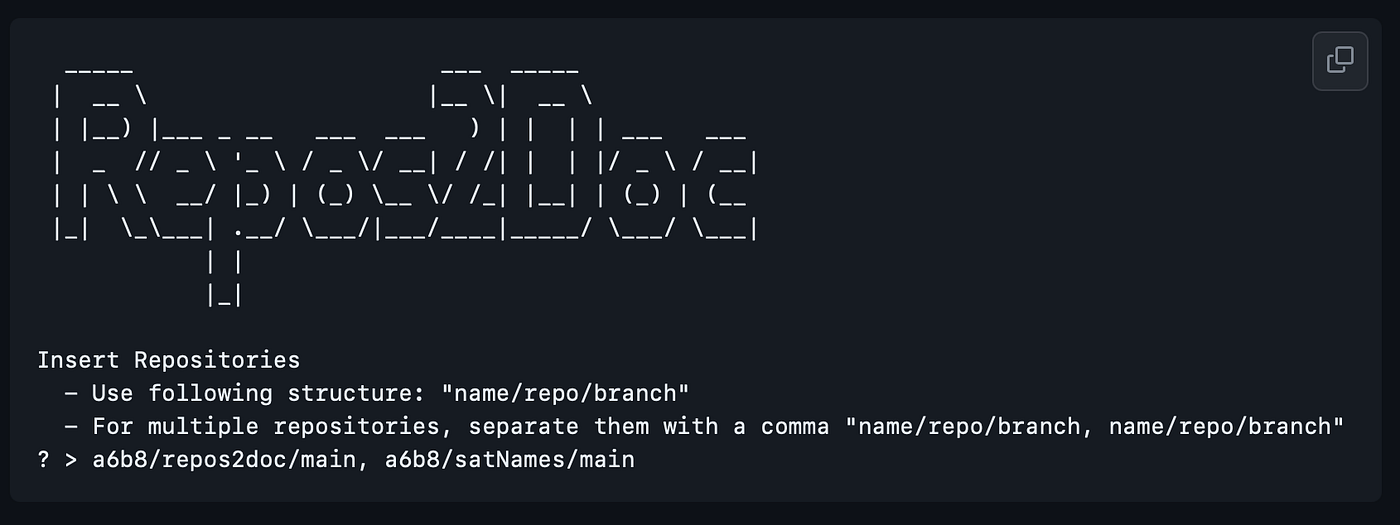
npm -g -i repos2docrepos2dochttps://github.com/a6b8/repos2doc
This tool combines individual repositories, as there appears to be a limit of 10 documents. I was able to include 14 repositories using this tool, along with documentation. There is also an approximate file size limit of 4 MB per document. Although an error message appeared stating “too many tokens,” I couldn’t determine the exact token count for the document. Therefore, I outputted large repositories as .txt files instead of .pdf files and divided them into smaller documents with some overlap.
Data Format
For documenting repositories, I decided not to use the repositories themselves, but instead, whenever possible, to parse and upload the equivalent in .html format. This approach seems to work well, as the AI can effectively extract the content. I had experimented with .txt files and the markdown annotation format. However, in general, it seems that the .pdf format delivers the best results. Unfortunately, the data is then sometimes twice as large. Whether this can be reduced with a different .pdf generator remains to be seen. But in a refactoring of the code, I would anyway choose .pdf as the main input, and then simply cleanly separate the .pdfs page by page. So far, however, I have only implemented the separation with overlap using .txt.

Addressing Knowledge Gaps
Customizing questions also helped me identify knowledge gaps in the AI. These gaps arose from three factors: missing data, unstructured data (e.g., when compiled code in a repository takes up too much space in relation to other information), and a lack of context. For example, when creating a long list of project information without explaining why these projects are included in the document. Adding context significantly improved the quality.

Speed Considerations
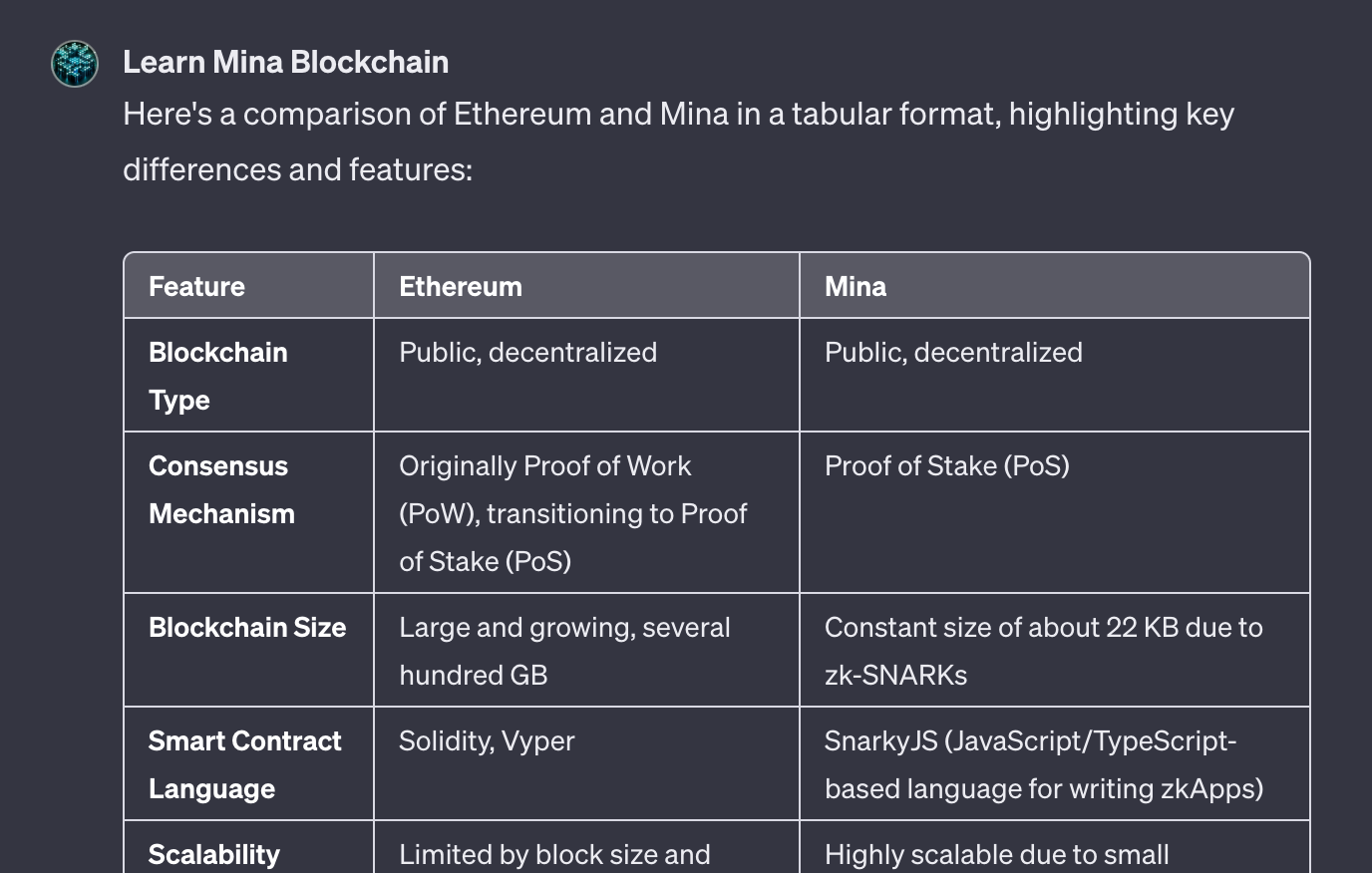
Speed is currently an issue. The AI sometimes takes 30–60 seconds to answer difficult questions. In my tests, very short questions were the most challenging for the AI. However, I don’t see this as a major problem. I believe speed will gradually improve. Sometimes, I received error messages during uploads but still managed to save the data. This may have been the reason for encountering many error messages during the initial attempts. In my second attempt, I paid close attention and tested various repositories in different combinations over several hours.
Conclusion
In conclusion, I can only recommend that everyone invests time in understanding GPT and gains practical experience to comprehend how AI functions. Furthermore, it is relatively straightforward to transfer this data to another AI for migration.
Try it out for yourself here: Learn Mina Blockchain (https://chat.openai.com/g/g-RdKySgBnY-learn-mina-blockchain) and please write me your feedback. I would be delighted if you could leave a comment or a like on Medium to share your thoughts on this topic. Additionally, if you are seeking technical support for your project, please feel free to reach out to me on Twitter at @_a6b8. Any feedback or inquiries are warmly welcomed!